Celigo
StacksyncComing soon

Set up Audtrya in Celigo
Audtrya watches your Celigo integrations and builds a live dashboard of what's working, what's missing and why. Setup takes about five minutes, and you don't need an Audtrya account.
Before you start: you need to be an owner or administrator of your Celigo account. Only they can create the service token Audtrya uses.
Install
- 1
Create a Celigo service token
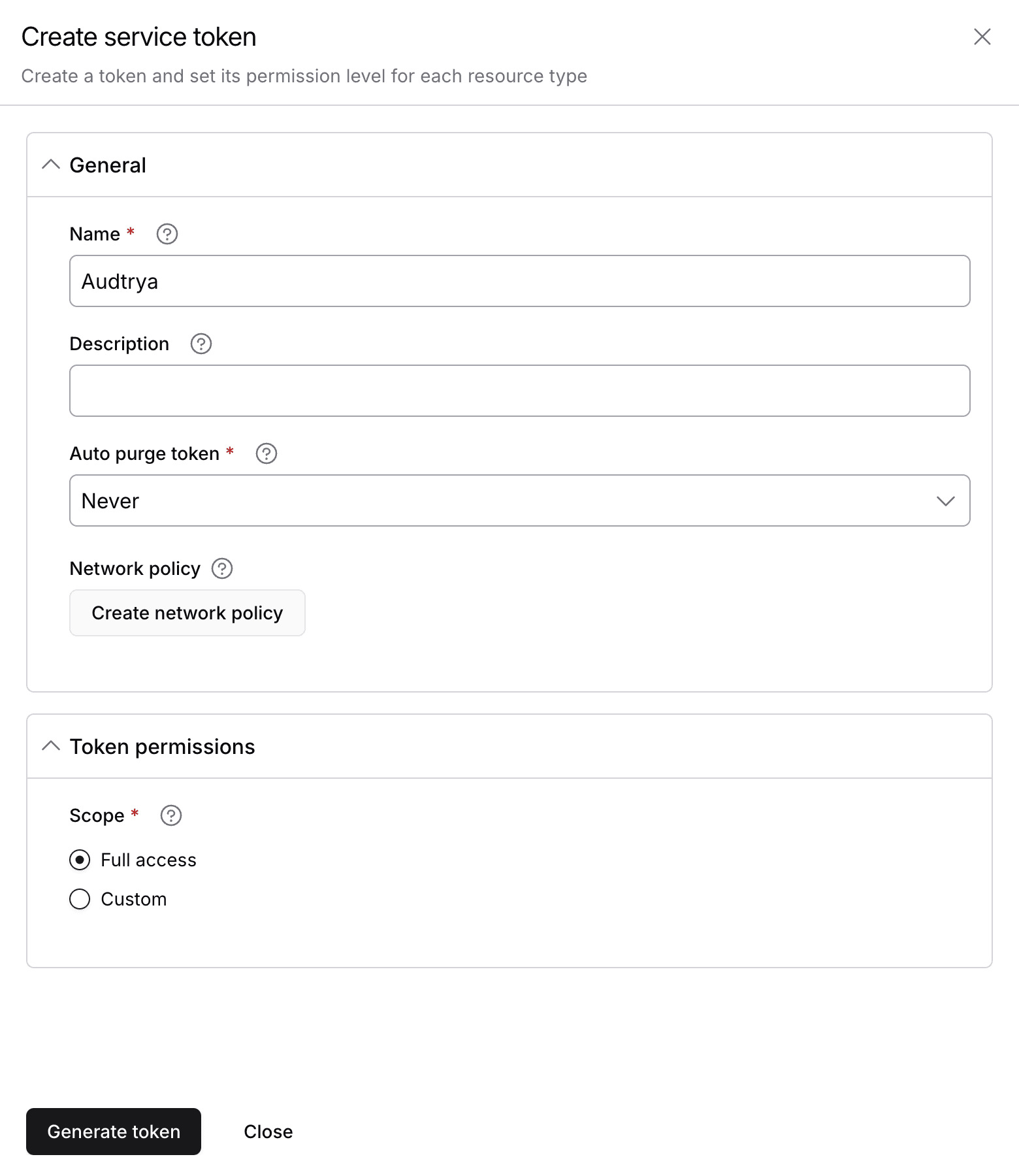
In Celigo, open Resources → API tokens, click Generate token and pick Service token. Name it Audtrya, set Auto purge token to Never (Audtrya uses it at every check) and choose Full access. Click Generate token and copy the token.
- 2
Upload the template
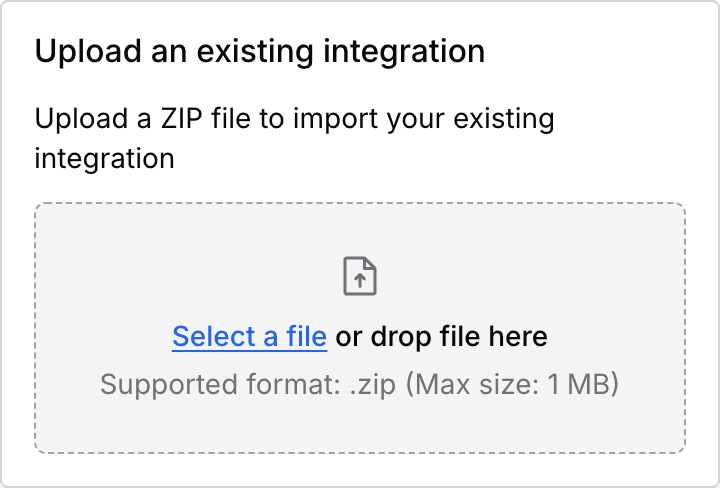
On Celigo's Home page, click Upload, then Select a file and pick the template you downloaded above.
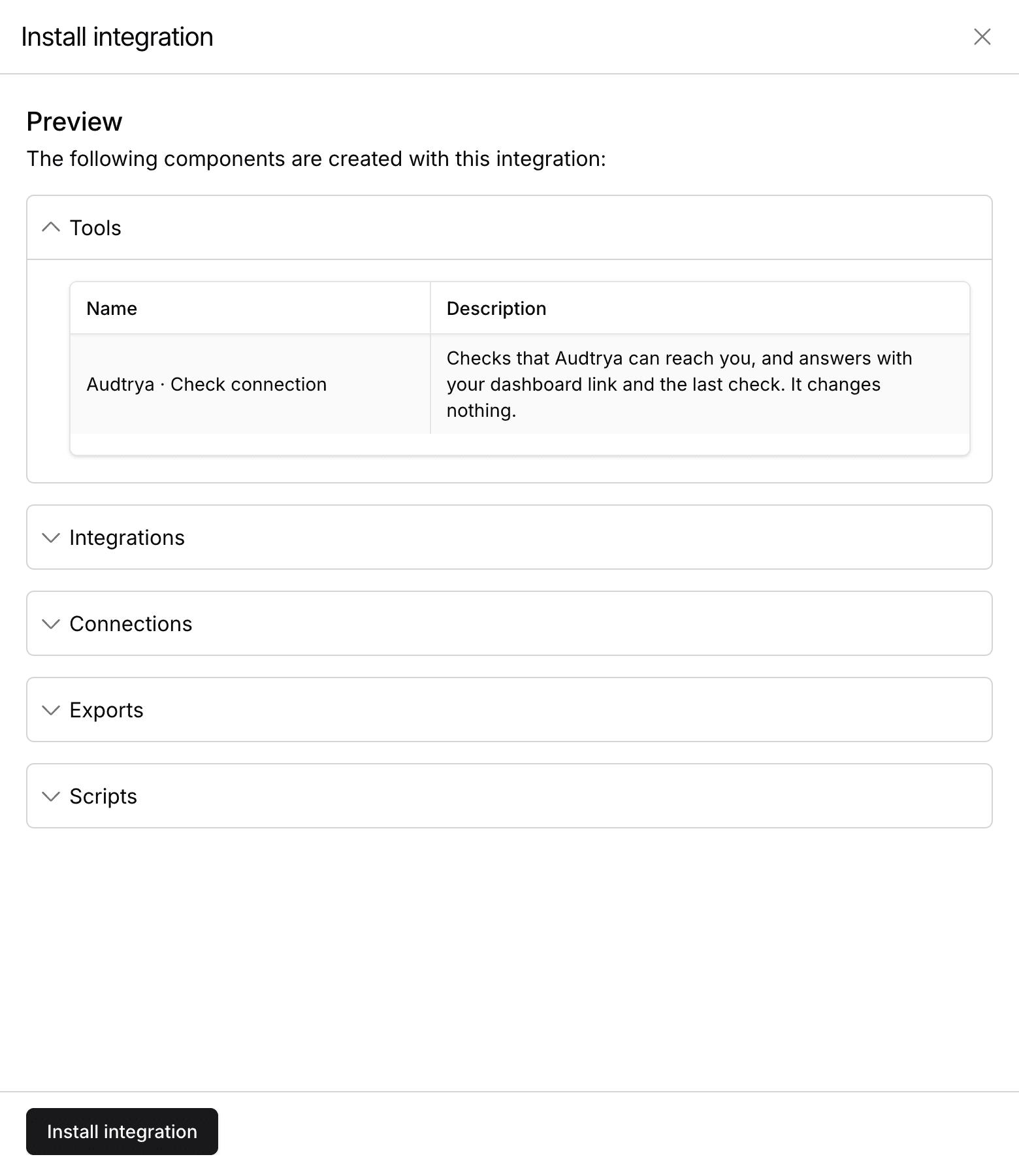
Celigo shows what the template adds. Click Install integration, then Proceed on the disclaimer Celigo shows for every uploaded template.
- 3
Set up the Audtrya Connection
Next to Audtrya Connection · setup at docs.audtrya.com/celigo, click Configure.
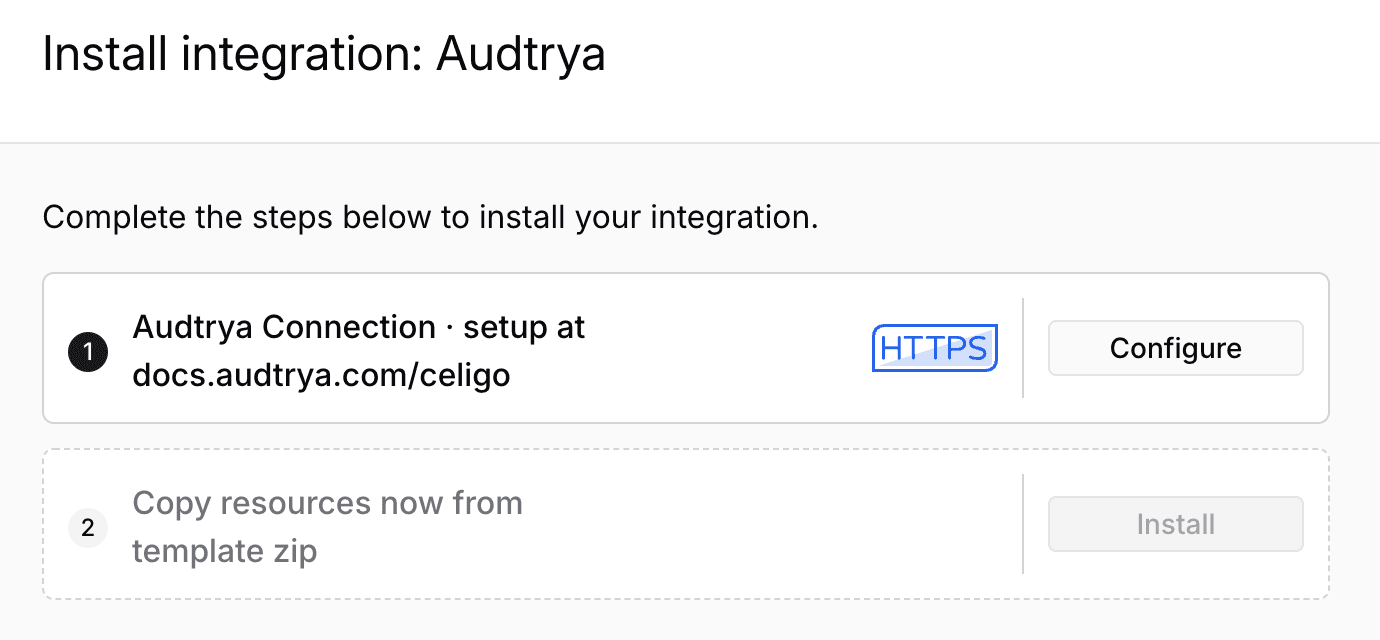
Choose Set up new connection, then fill in these fields and leave the rest as they are:
- Base URI
- the address below
- Auth type
- Token
- Token
- your service token from step 1
- Send token via
- HTTP header (Header name stays Authorization)
https://app.audtrya.com/celigo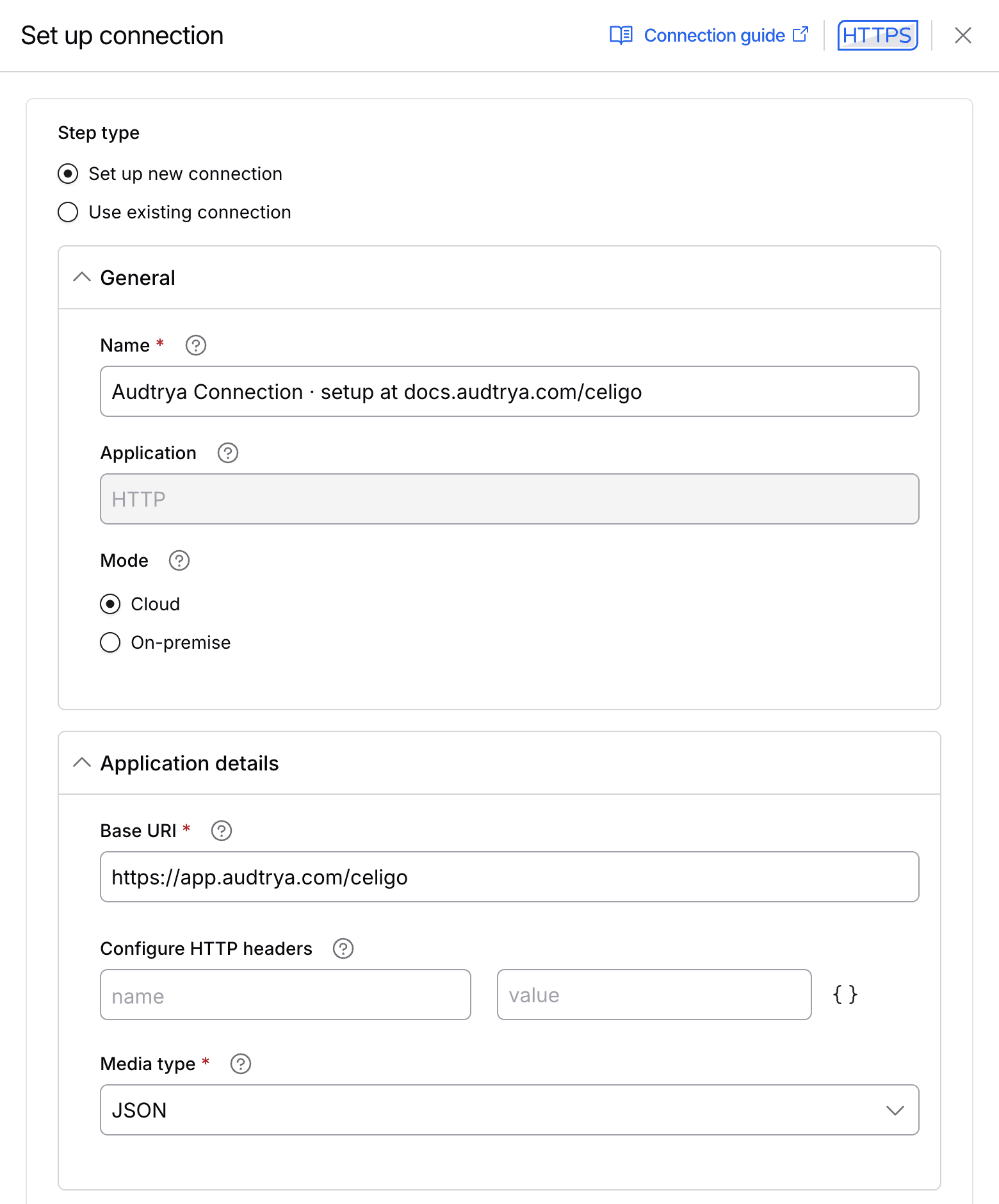
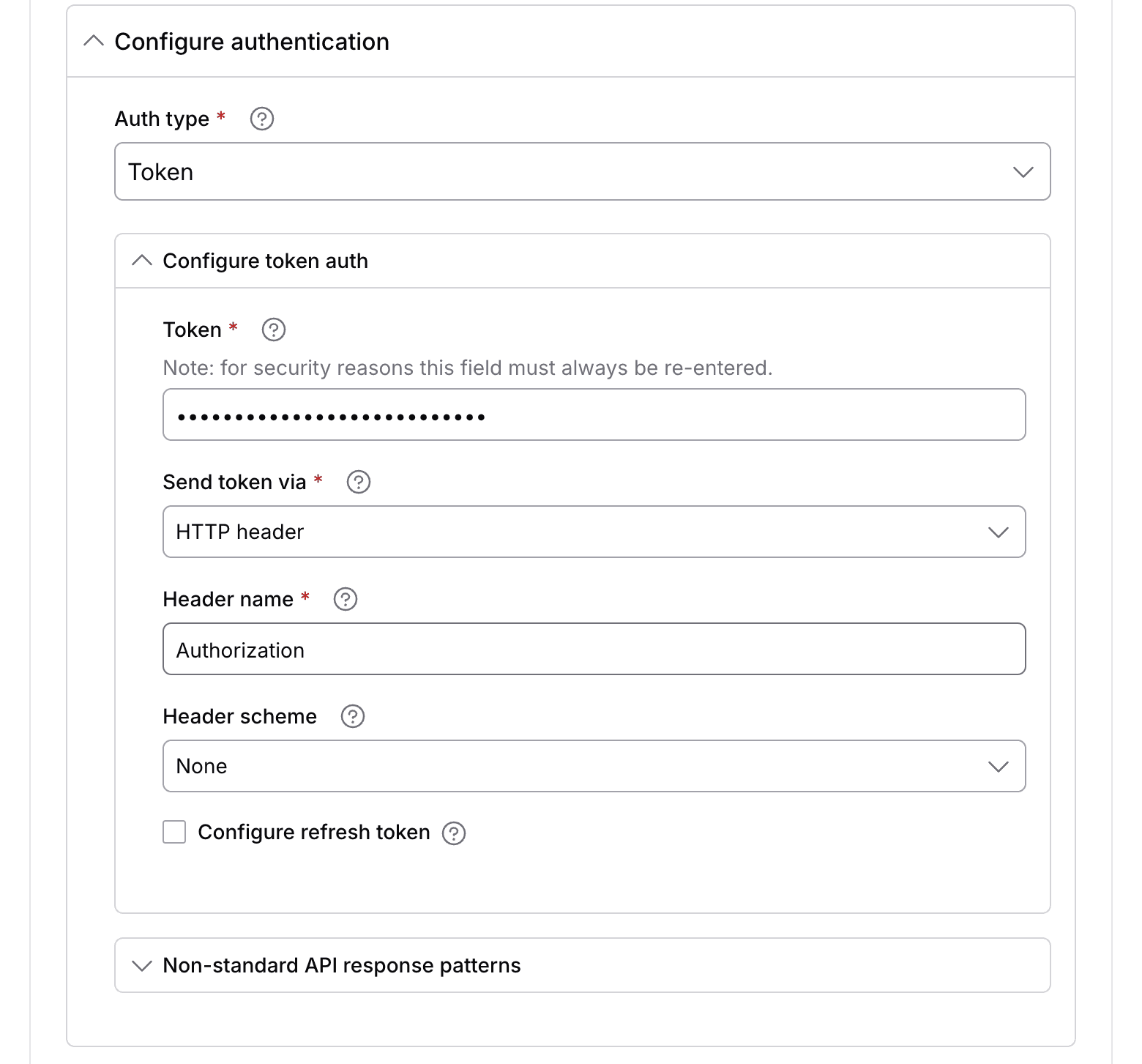
Click Save & close. Celigo tests the connection, and the test passes once the token is right.
- 4
Finish the install
Click Install next to Copy resources now from template zip. Celigo copies Audtrya into your account.
- 5
Tell Audtrya what to watch
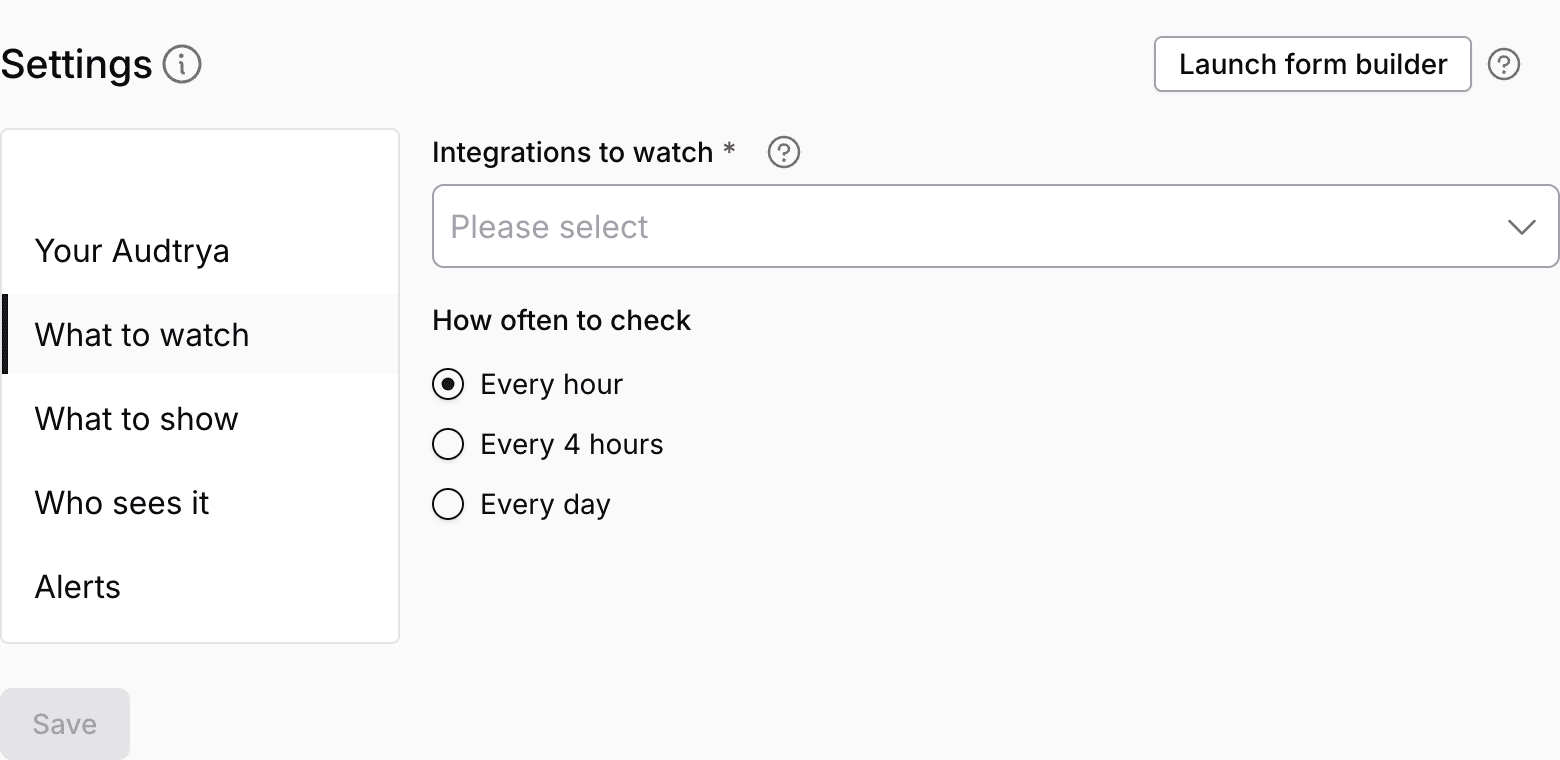
Open the Audtrya integration and its Settings tab. Under What to watch, pick the integrations Audtrya checks and how often.
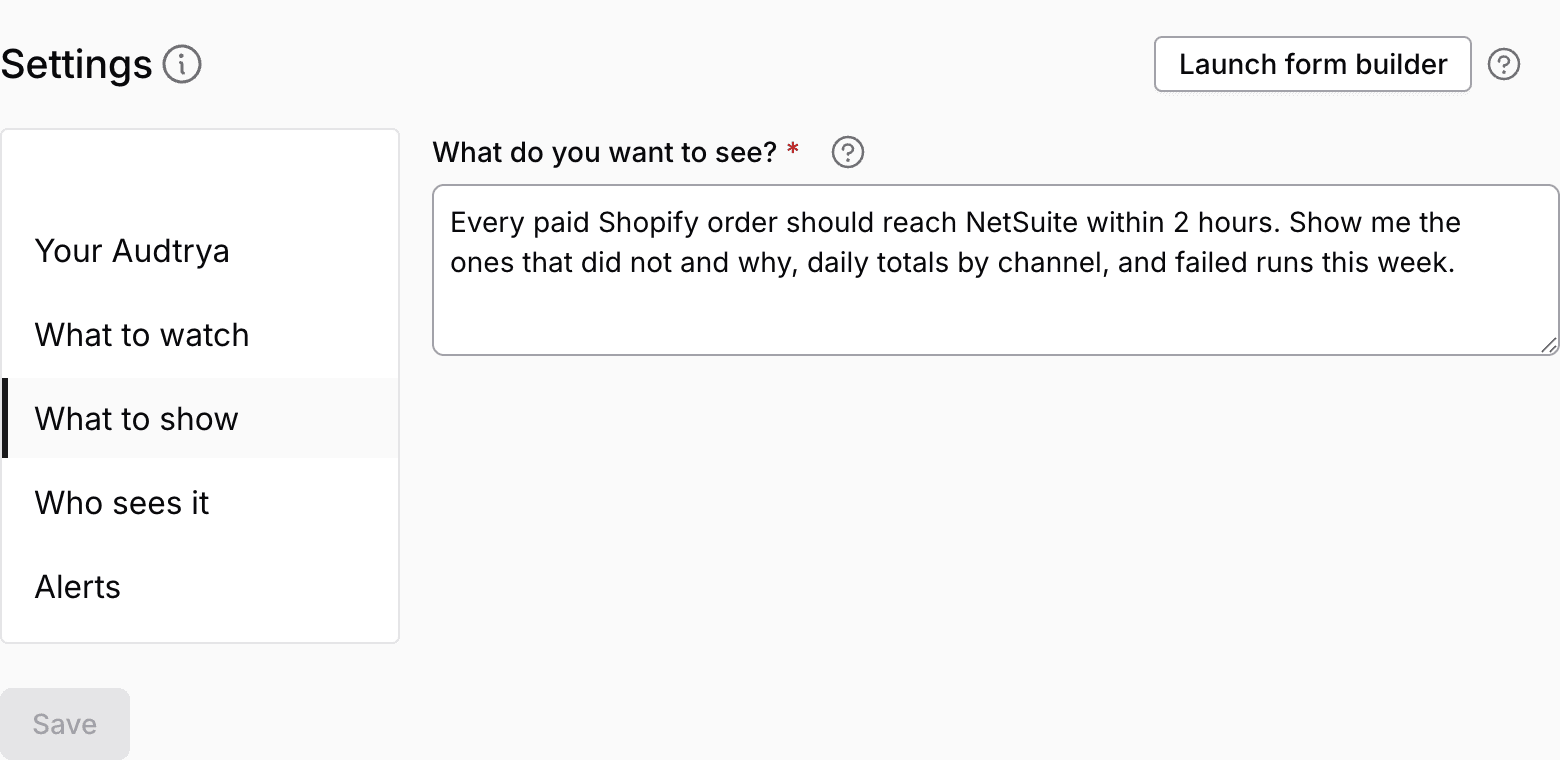
Under What to show, say in your own words what you want to see (the prompt library has ideas), fill in your email under Your Audtrya, and Save.
What happens next
- In about 20 minutes your dashboard link arrives by email. It also shows at the top of Settings.
- Audtrya checks your integrations on your schedule, every hour unless you pick another, and keeps the dashboard current.
- When records that should have reached their system are missing, you get an email saying how many, why, and how to fix it.
- A daily or weekly summary follows, if you asked for one.
The top of Settings always shows your dashboard link and what Audtrya is doing:
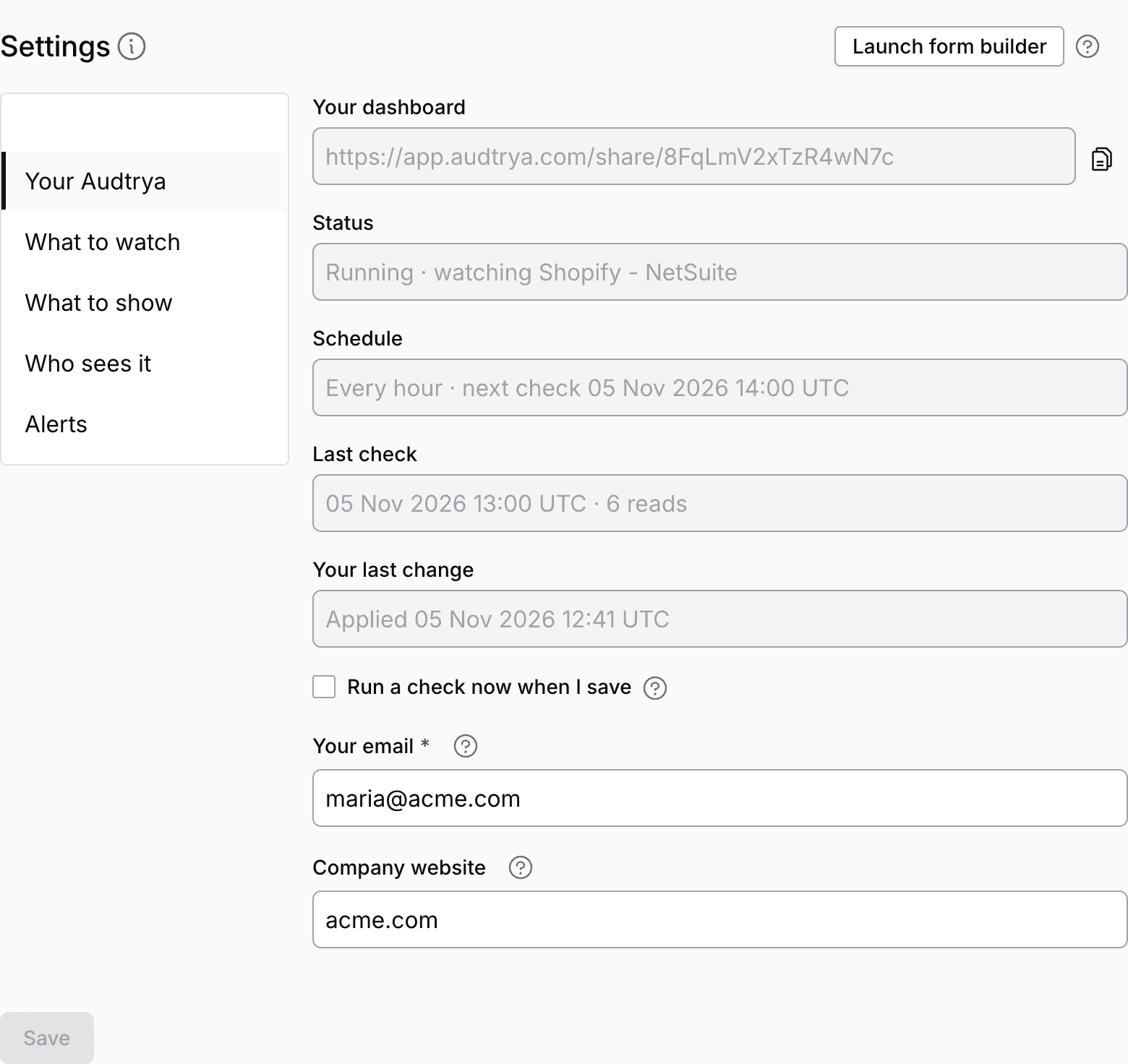
The Settings form
Settings has five tabs down the side. A change applies within a minute of Save.
What Audtrya adds to Celigo
Everything Audtrya adds sits inside its own Audtrya integration:
- the Audtrya Connection you set up;
- one check tool, Audtrya · Check connection;
- once you're connected, the read tools Audtrya adds itself, built on your own connections: Audtrya · Read apps and, when you have a NetSuite connection, Audtrya · Read NetSuite.
It never changes your flows or your records, and nothing in your Celigo runs on a schedule or sends data anywhere. Audtrya reads what it needs when it checks.
Cost in Celigo
Audtrya reads through your connections with its read tools. If your Celigo plan counts tool or API calls, these count too. How often Audtrya checks sets how many reads it makes, so Every day makes the fewest.
Your data
- Your service token is stored encrypted. Audtrya uses it to read, and to add its read tools to the Audtrya integration.
- Audtrya never sees your NetSuite or Shopify logins: Celigo signs every read with your own connection.
- It reads only through the connections of the integrations you pick, minus any you untick.
- What it reads is kept by Audtrya to build your dashboard and alerts.
- Your dashboard link is open to anyone who has it, unless you untick Anyone with the link can open it.
Troubleshooting
What Celigo or the Settings form shows, and what to do. Open a row for the fix.
Remove Audtrya
On the Audtrya integration's page in Celigo, click Delete integration, then delete the service token you made for it under Resources → API tokens. Without the token, Audtrya can't read anything from your Celigo. To have Audtrya delete what it stored, write to driss@lysi.co.
Prompt library
Ideas for What do you want to see? Copy one and change the details to match your business.


Every paid Shopify order should reach NetSuite within 2 hours. Show me the ones that did not and why, daily totals by channel, and failed runs this week.
Every Shopify refund should reach NetSuite as a credit memo. Show the refunds still missing in NetSuite and the order each belongs to.
Every NetSuite fulfillment should send its tracking number back to Shopify within 4 hours. Show the orders still waiting, oldest first.
Each morning, compare the available quantity in NetSuite and Shopify for every SKU, and show the ones that differ.

Every Amazon order should reach NetSuite as a sales order the same day. Show the ones that did not, with the Amazon order number and the error Celigo logged.

Every Faire wholesale order should reach NetSuite within a day. Show missing orders by retailer and weekly order totals.

Every closed-won HubSpot deal should reach NetSuite as a sales order. Show the deals still missing in NetSuite this month and their amounts.

Every escalated NetSuite support case should have a Jira issue. Show the cases with no issue, and the issues open for more than 3 days.

Every NetSuite sales order released for shipping should reach ShipStation within an hour. Show the orders that did not and how long each has waited.

Show every flow that failed this week, how many errors each one has, and the errors that keep coming back.
Alert me by email when a paid order has been missing from NetSuite for more than 2 hours.
Audtrya reads your web and NetSuite connections in Celigo, plus Celigo's own runs and errors. Salesforce, databases and file transfers (FTP, AS2) can't be read yet.
Contact
Questions or help: driss@lysi.co.
Audtrya is made by LYSI Consulting.